Skip to content

Capture and map#

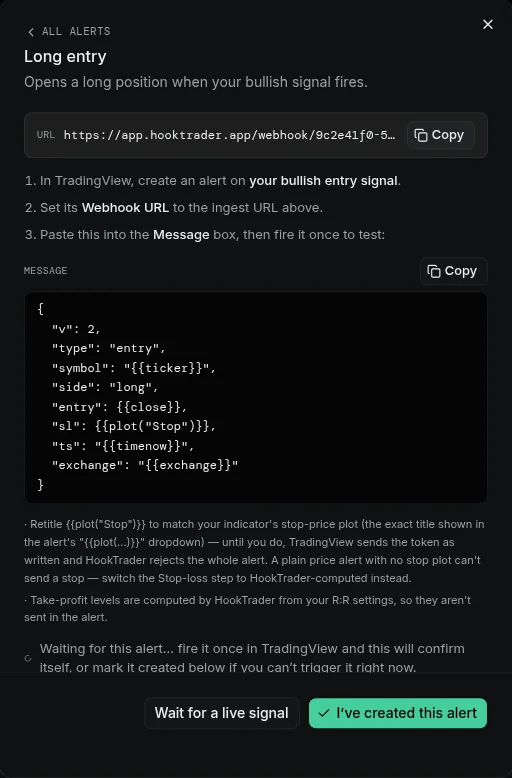
Most TradingView indicators don't emit HookTrader's v2 envelope directly. The capture-and-map flow lets you teach a webhook to translate an arbitrary indicator's payload into v2.

The whole flow lives in step 3 of the strategy wizard. You can also re-open it later via Edit mapping on the strategy detail page.

The two halves#

Half What it stores
Captures Raw payload shapes the receiver has seen on this webhook. Saved server-side so you can leave the page and come back.
Mapping rules Ordered list of { matcher → event_type + field_map + static_values } entries. The receiver evaluates rules top-to-bottom and applies the first match.

Getting a capture#

Three ways:

  1. Fire a real alert. Paste the webhook URL into a TradingView alert and let it trigger. The wizard auto-refreshes when a new capture arrives.
  2. Paste a sample. Click Paste payload at the top of the captures list, drop in raw JSON, and submit. The new entry has source manual.
  3. Re-use a recent payload. If you've already received alerts on this webhook (e.g. during a previous learning session), they're listed in the captures pane.

Mapping a capture#

Click Map to rule on any capture. The dialog auto-detects:

  • The likely event type (entry, tp_hit, trail, move_sl, exit, custom).
  • Per-field guesses for side, qty, sl, entry, symbol — looking for fields with plausible names and value ranges.

Confirm or override each guess. Static values (e.g. a fixed tps array, or strict_payload: true) live alongside the field map.

Variants — one rule, many alerts#

Some indicators emit a single alert that differs only in a discriminator string (e.g. {"alert": "entry"} vs {"alert": "tp1"} vs {"alert": "sl"}). HookTrader groups these as a cluster in the captures pane.

Open Show variants on the cluster to see each distinct value of every varying field. Pick a discriminator, and HookTrader seeds a matching rule for you — saving you from authoring near-identical rules by hand.

Dry run#

The Dry-run button on each capture runs it through the full pipeline (translation → v2 validation) and shows:

  • The translated v2 payload.
  • Pass / fail against the strategy's required keys.
  • The first failing validator if it doesn't pass.

Always dry-run every capture you intend to fire in production before activating.

Lifecycle interaction#

  • While the webhook is in learning state, real captures keep arriving but no trades fire.
  • configuring is the same — captures + mapping work continues.
  • After activation, the wizard stops collecting new captures by default to keep the list clean. To capture more shapes (e.g. for a new indicator alert), click Back to learning on the strategy detail page.

Captures are scoped per-webhook and survive logout / browser refresh. They're cleared by Reset History on the strategy detail page.

Saved mappings are snapshots#

Mapping rules are stored on the webhook row. If you later edit a global indicator preset, existing webhooks are not retroactively rewritten — they keep the snapshot they were authored against. To pick up updates, re-apply the preset (or edit the webhook's mapping directly).