Signal Connector quick start
The Signal Connector is a free TradingView indicator. It reads your indicator's signals, draws a stop and targets around each, and sends every step to HookTrader through one alert.
On TradingView it is Trade Plan Visualizer — SL/TP & Alerts, by HookTrader_. Open it on TradingView →
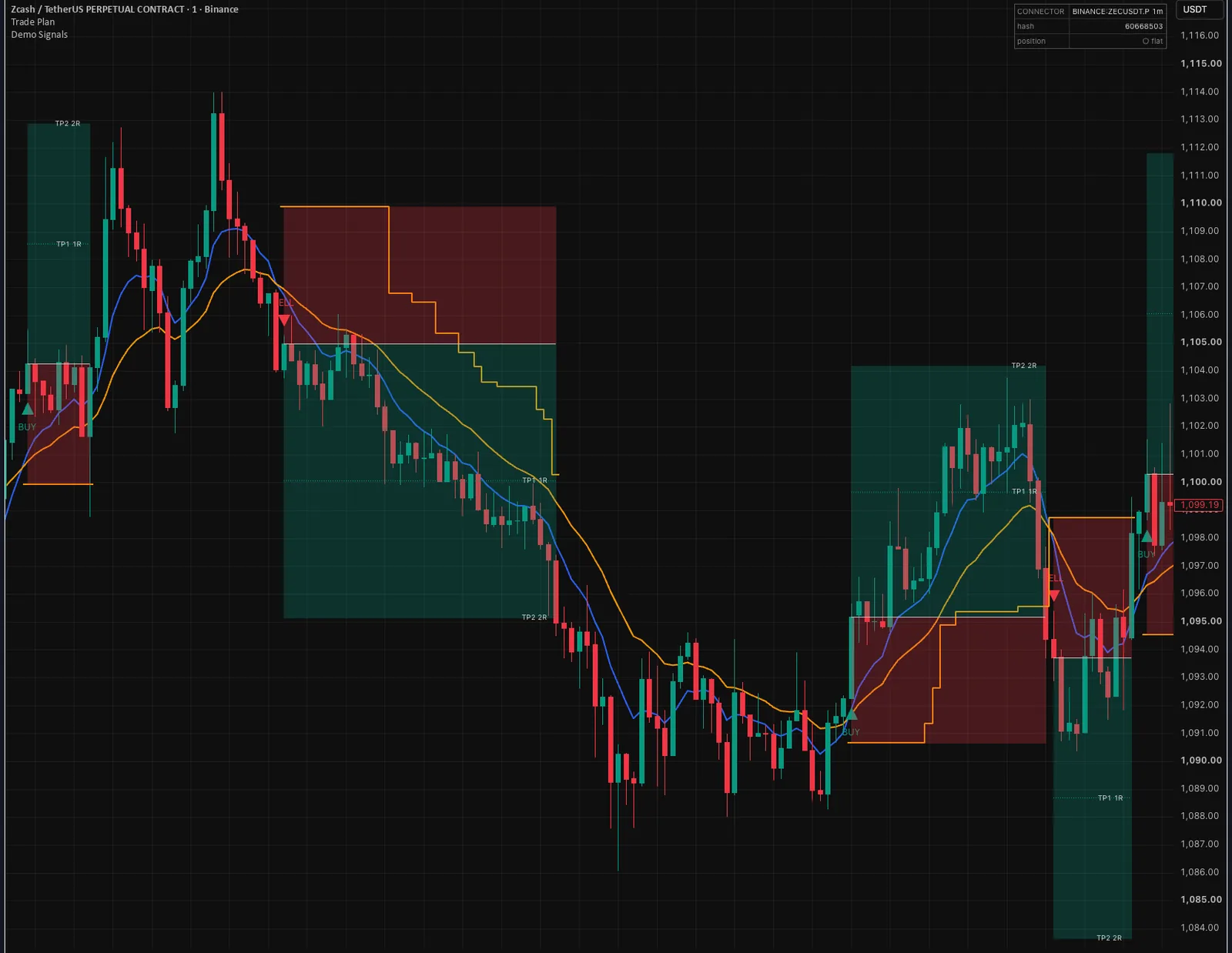
See it on a public chart, wired to RSI crossing 50 on ETHUSDT.
Set it up#
Add it to your chart
Search Indicators for Trade Plan Visualizer and add it beside your signal indicator.
Wire your signals
Under Signals, point Long Signal Source and Short Signal Source at your indicator's buy and sell plots. See Wire your signals.
Set the stop and targets
Pick a Stop Loss Mode and each target's RR.
2.0is twice the stop distance. See The trade plan.Copy the webhook URL
In HookTrader, open Strategies → New strategy and copy the webhook URL.
Create one alert
Choose Add alert on the chart. Set Condition to the connector and Any alert() function call, and the trigger to Once per bar. Paste the URL into Webhook URL and leave Message empty.
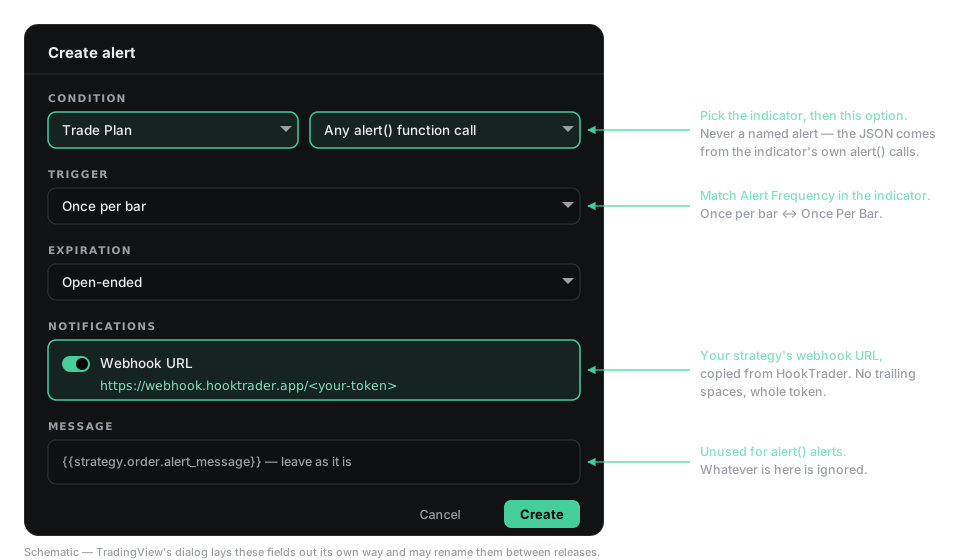
One alert covers entries, targets, stop moves and exits. Activate
The first alert fills the Designer from your chart. Check the risk and targets, then press Activate.
Before the first real signal#
Keep Alert on SL/TP Hits and Alert on TS Update on, and every Test Tools toggle off. Try it on a paper account first.
HookTrader places targets from its real fill, so they differ from the chart's labels by your entry slippage.