Choose where notifications go
Go to Settings → Notifications. In-app is always on.
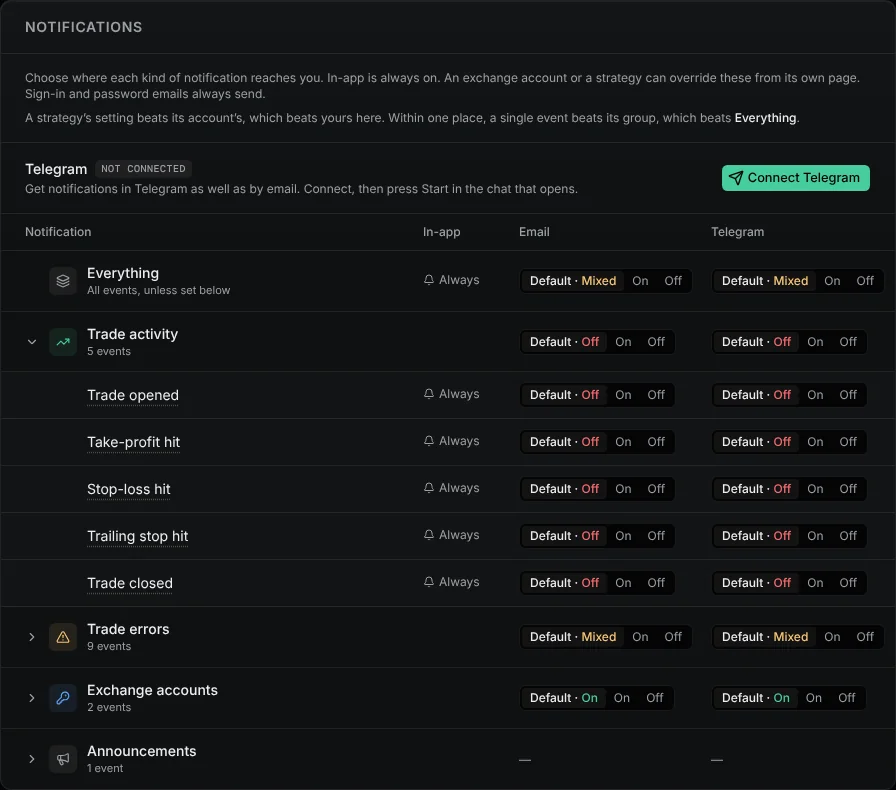
Set a row to On or Off. Default shows what it follows. Click a group to set one event inside it.
To make one strategy or account different, open its Notifications tab.
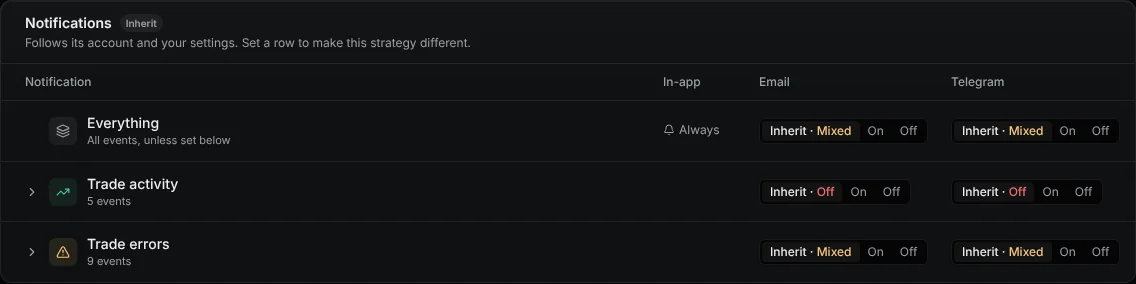
A strategy beats its account, which beats Settings. One event beats its group, which beats Everything.
Trade activity is off until you switch it on. Position stuck closing and Unknown position always reach you.
Unsubscribe in an email turns off that event for that strategy or account.